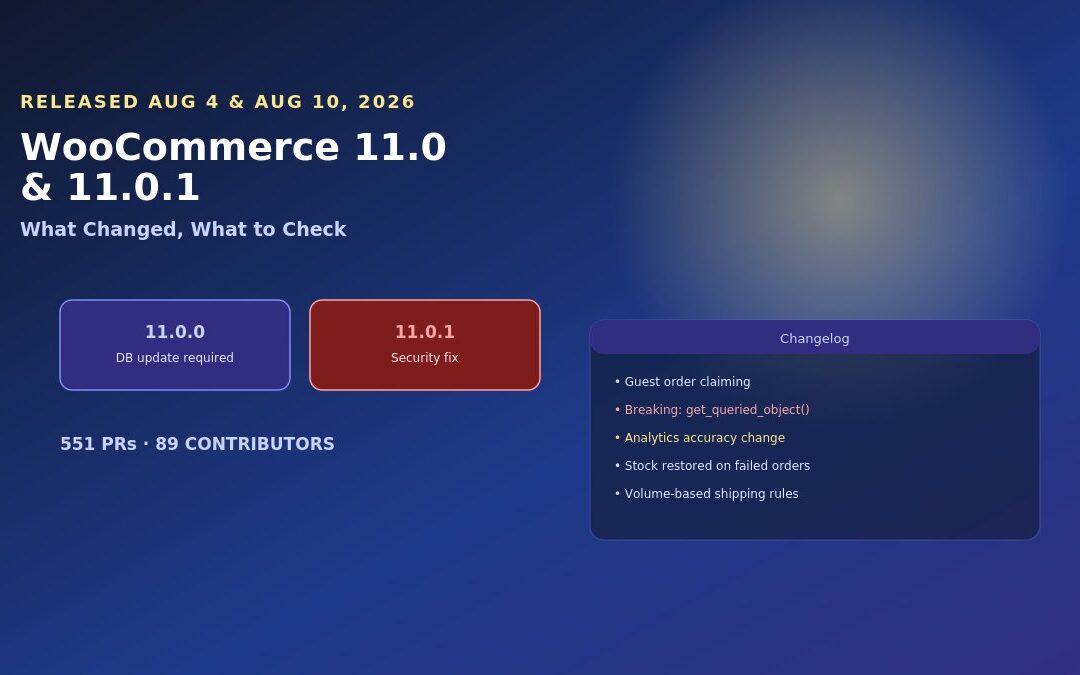
WooCommerce 11.0 shipped on August 4, 2026, a week later than originally planned after a fatal error surfaced in testing. A follow-up release, 11.0.1, landed six days later with a security fix and compatibility work for the WordPress 7.1 release that followed shortly after. Together, these two releases carry a required database update, a genuine breaking change buried in the technical changelog, and an analytics shift that will make your traffic numbers look wrong even though nothing is actually broken.
None of that made the announcement headlines, which mostly focused on WooCommerce’s own framing of the release as “foundations and backlog cleanup.” Here’s what actually matters if you’re running a WooCommerce store and haven’t updated yet.
A Release That Arrived in the Middle of a Busy Update Week
It’s worth noting the timing here, since it explains part of why this release deserves more individual attention than it’s gotten. WooCommerce 11.0.1 shipped its WordPress 7.1 compatibility work on August 10 — nine days before WordPress 7.1 itself actually went live on August 19. That’s the WooCommerce team proactively preparing for a major WordPress release before it landed, rather than scrambling to catch up afterward, which is a genuinely good sign about how seriously platform-level compatibility is being taken across the ecosystem right now.
The practical effect for store owners is that a lot of significant update activity landed in a short window — WooCommerce 11.0, WooCommerce 11.0.1, and WordPress 7.1 all within about two and a half weeks of each other. If you manage a store and have been putting off updates generally, this cluster of releases is a reasonable prompt to catch up on all of them together in one deliberate, well-tested pass, rather than trickling updates in one at a time and re-testing after each.
Why This Release Slipped a Week
WooCommerce 11.0 was originally targeted for July 28, 2026. The team pulled it after testing of the first release candidate surfaced a fatal error tied to a new performance feature, and pushed the target to August 4 instead. The public explanation was intentionally light on specifics — no named feature, no affected extensions listed, no reproduction steps shared. For site owners, the practical takeaway isn’t the drama of the delay itself; it’s a reasonable signal that this release touched deeper, more foundational code than a typical point update, which is exactly why the pre-update checklist later in this guide is worth taking seriously rather than treating this as a routine update.
The Numbers Behind the Release
WooCommerce 11.0 release statistics
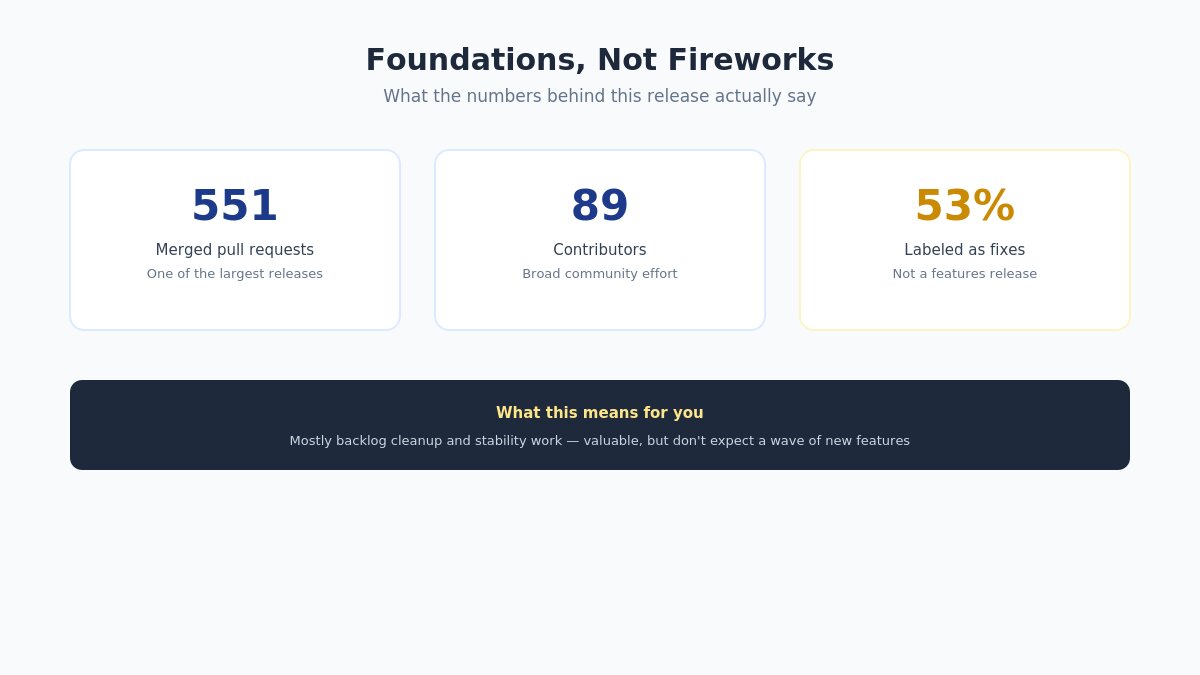
WooCommerce 11.0 shipped with 551 merged pull requests from 89 contributors — one of the largest releases in the platform’s recent history by that measure. WooCommerce’s own team has been explicit that this wasn’t primarily a new-features release: by an independent count of the changelog, roughly 53% of entries are labeled as fixes rather than new functionality. The framing matters for expectations — if you were hoping for a wave of new merchant-facing capability, this release is mostly not that. It’s WooCommerce working through a backlog of smaller issues and foundational cleanup, which is valuable, just not showy.
What Actually Shipped: Guest Order Claiming
The one genuinely new merchant-facing feature worth knowing about: customers who checked out as a guest can now claim their previous guest orders after creating an account, linking that order history to their new account rather than leaving it permanently orphaned from their profile.
This solves a real, common frustration. A customer buys once as a guest, later decides to create an account, and previously had no way to connect that earlier purchase to their new account — no order history, no easy reorder, no loyalty tracking tied to that first purchase. If your store deals with any meaningful share of guest checkouts, this closes a gap that’s been a minor but persistent source of support requests for as long as guest checkout has existed.
How it works in practice: when a customer creates an account using the same email address associated with a past guest order, WooCommerce now offers to link that historical order to the new account automatically, rather than requiring a manual support request to connect the two. No configuration is required on the merchant side — this works automatically once you’re running 11.0 or later, using your store’s existing checkout and account creation flow.
Why this matters more than it might initially sound like it does: for any store using loyalty programs, subscription upsells, or repeat-purchase marketing tied to order history, guest orders that couldn’t be claimed were effectively invisible to those systems, even though the revenue was real. This feature doesn’t retroactively fix every downstream integration built on order history, but it closes the specific gap at the account-linking level, which is the root of the problem those other systems inherited.
Who This Release Actually Affects Most
Given how much of this release is foundational rather than feature-driven, it’s worth being specific about which kinds of stores should pay closest attention versus which can treat this as a routine update:
Stores with custom-built themes or heavily customized Shop page templates should treat the get_queried_object() change as a mandatory pre-update review item, not an optional one.
Stores relying on analytics dashboards for real business decisions — inventory planning, ad spend allocation, staffing based on traffic patterns — need to understand the session-counting change before making any decisions off post-update numbers.
Stores with any custom logic tied to order status changes, particularly around failed orders and inventory, should specifically test the stock-restoration behavior change on staging.
Stores running a standard, well-maintained theme with no custom Shop-page code — including most stores built on a maintained commercial theme — face meaningfully lower risk from this specific release and can proceed with more routine caution.
International stores outside the United States should specifically check whether they were seeing the false business-location mismatch warning in Payments settings, since 11.0.1 fixes this directly.
The Analytics Change You Need to Know About Before You Panic
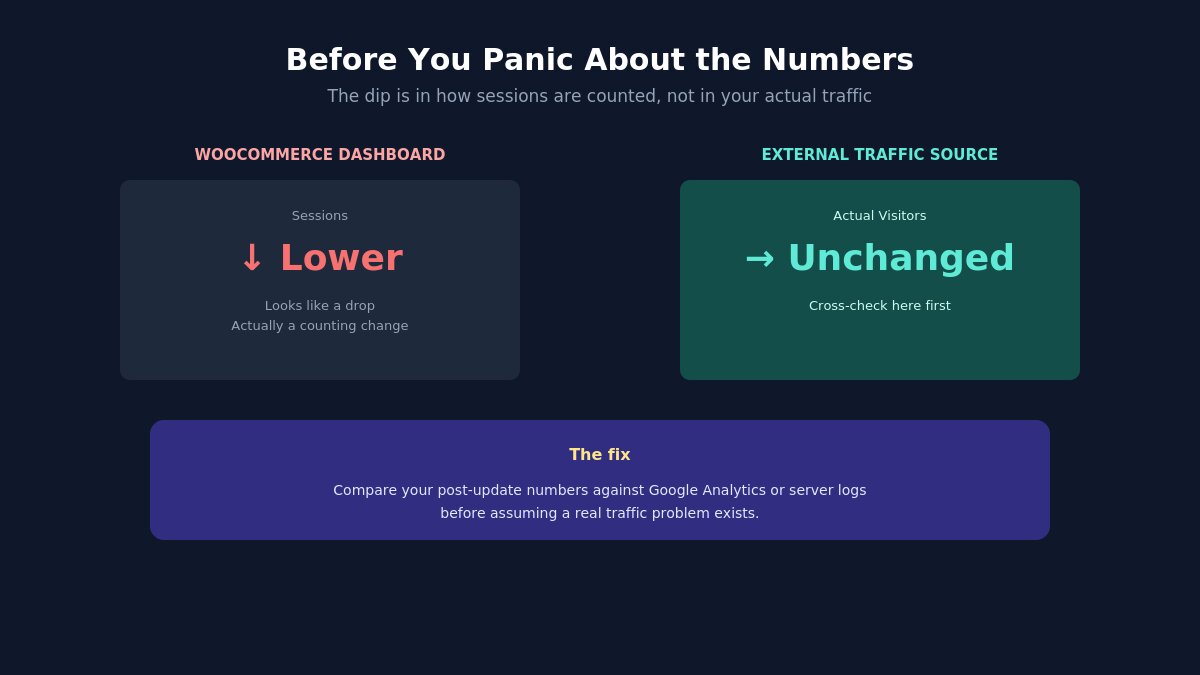
This is the change most likely to cause a genuine “is something broken?” moment if you’re not expecting it. WooCommerce 11.0 includes improvements to analytics accuracy and resilience — which, in practice, means the way sessions and some other metrics are counted changed, and the result is that your reported numbers may shift after updating even though your actual traffic and sales haven’t changed at all.
If you check your WooCommerce analytics dashboard shortly after updating and see a session count that looks lower than before, this is very likely the cause — a change in how the number is calculated, not a real drop in visitors. Before assuming something broke or panicking about a traffic collapse, compare against an external source (Google Analytics, your host’s server logs, or another independent traffic measurement) to confirm your actual visitor volume is unchanged. This is exactly the kind of change that’s easy to misread as a serious problem if you’re glancing at a dashboard number without the context of what changed underneath it.
The Breaking Change Buried in the Technical Changelog
WooCommerce 11.0 get_queried_object breaking change for developers
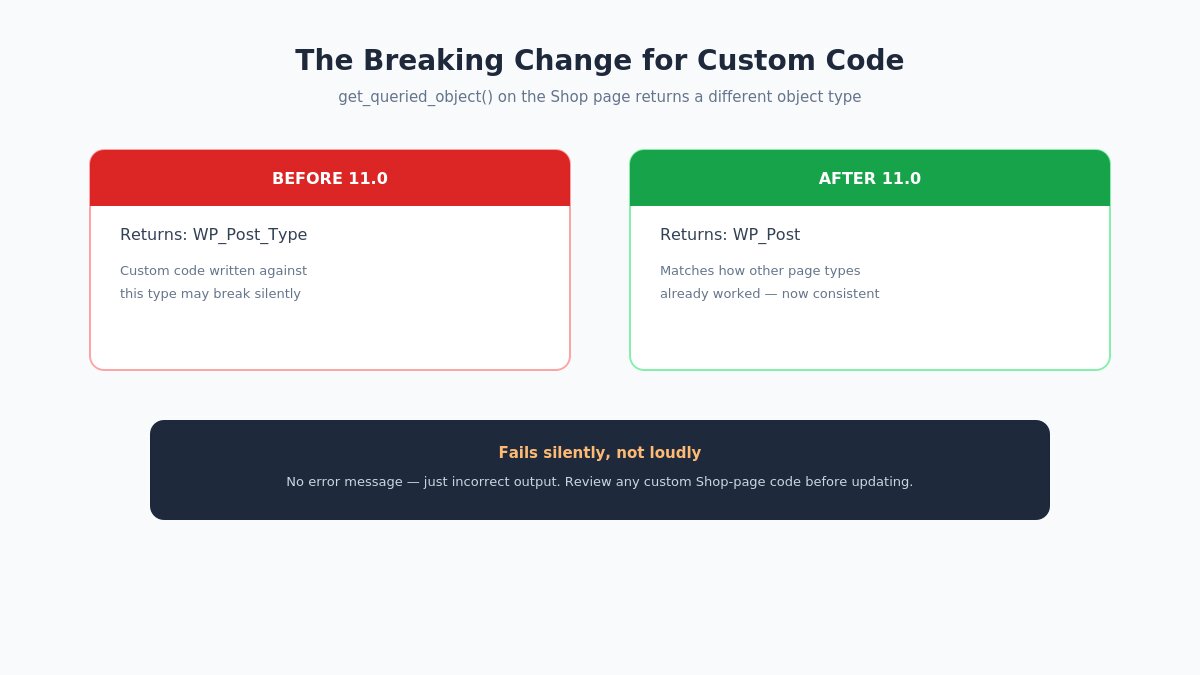
This one matters specifically if your site has any custom code, a custom theme, or a developer-maintained integration touching the Shop page. Starting with WooCommerce 11.0, the function get_queried_object() on the Shop page now returns a WP_Post object instead of a WP_Post_Type object — aligning its behavior with how other page types already worked, but a genuine breaking change for any custom code written against the old return type.
If you or a developer wrote custom code that calls get_queried_object() on the Shop page and does anything specific with the object it expects back, that code needs review before or immediately after updating. This is precisely the kind of change that won’t show up as an obvious error — it can fail silently, produce incorrect output, or work fine in some contexts and break in others depending on exactly how the returned object is used downstream. If you’re running custom code and don’t have a developer who reviews changelogs like this as part of your update process, this is a good moment to get one involved before updating production.
What Else 11.0 Changed
Other notable changes in WooCommerce 11.0
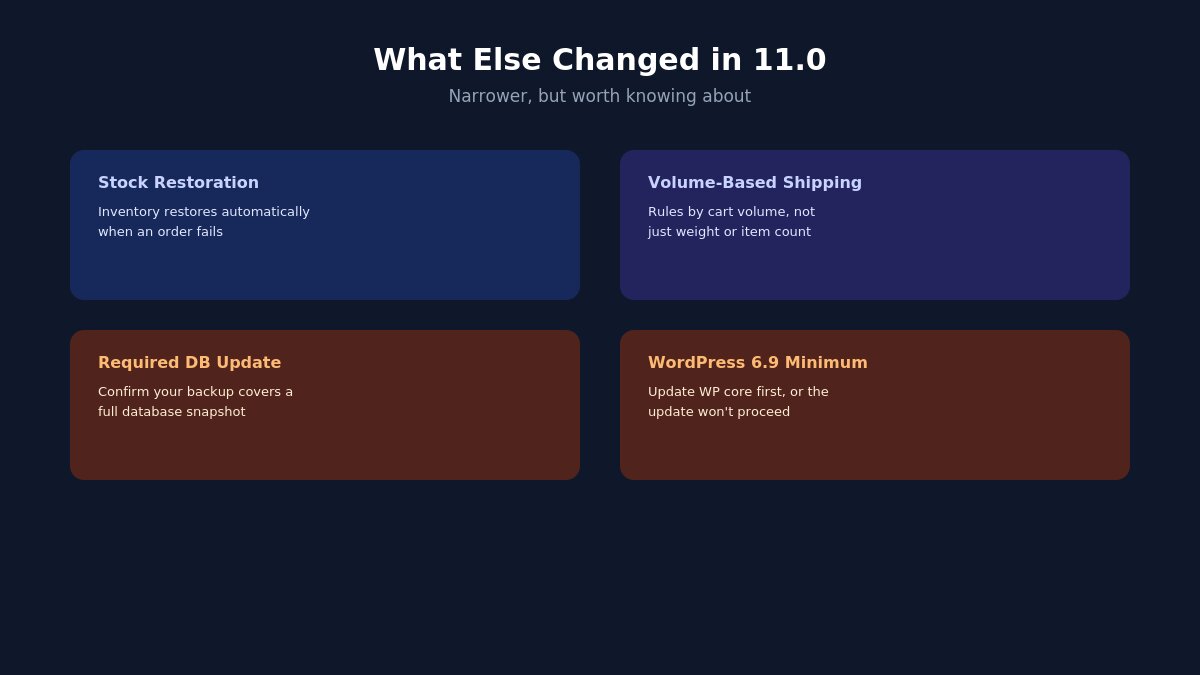
A few additional changes worth knowing about, even though they’re narrower in who they affect:
Stock restoration on failed orders. WooCommerce 11.0 changes stock management so that inventory is restored when an order transitions to a failed status, rather than remaining held. Previously, stock held against a failed order could stay locked out of your available inventory longer than it should have, effectively understating what you actually had available to sell. If you’ve built any custom logic around order status transitions and inventory — a common pattern for stores with automated reordering or low-stock alerts — review this specifically, since the timing of when stock becomes available again has changed.
Shipping rate rules by cart volume. You can now build shipping rules based on the total volume of items in the cart, in addition to the existing weight- and count-based options — useful if your products vary significantly in physical size relative to their weight, a gap that weight-only shipping rules have always handled poorly. A store selling both dense, heavy items and large, light items (furniture alongside hardware, for instance) can now set rules that better reflect actual shipping cost drivers instead of picking between an imperfect weight-based or count-based approximation.
A required database update. Unlike many point releases, 11.0 requires a database update to complete. Confirm your backup strategy actually covers a full database snapshot, not just files, before updating.
WordPress 6.9 minimum. If you’re running an older WordPress version, you’ll need to update WordPress core before WooCommerce 11.0 will run at all — worth checking now rather than discovering it mid-update.
What Shipped in the 11.0.1 Follow-Up
WooCommerce 11.0.1 dot release fixes
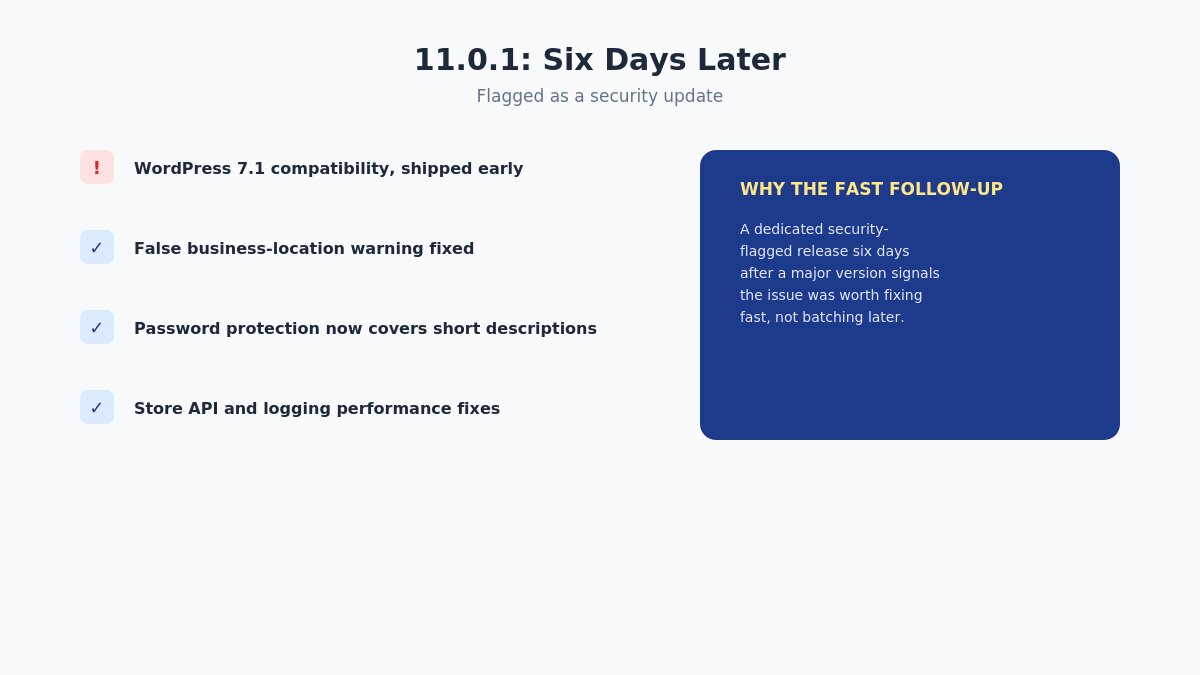
Six days after 11.0’s release, WooCommerce shipped 11.0.1 — flagged as a security update, with no required database update this time. The short gap between the two releases is itself worth noting: shipping a dedicated security-flagged dot release less than a week after a major version, rather than folding the fix into a later scheduled release, generally signals the underlying issue was serious enough to warrant getting a fix out quickly rather than batching it with the next round of routine improvements. Here’s what the release actually contained:
Increased compatibility with the then-upcoming WordPress 7.1 release, shipped proactively before WordPress 7.1 itself went live on August 19.
A fix for a false business-location mismatch warning in Payments settings that was incorrectly appearing for stores located outside the United States.
Expanded password protection for product short descriptions, now correctly enforced across embeds, Product Summary blocks, and block-based single-product templates — closing a gap where a password-protected product’s short description could previously still be visible in these specific contexts.
Store API behavior fixes and logging performance improvements, both more relevant to developers and headless setups than typical merchants.
The security flag on this release is worth taking seriously on its own — even without the other fixes, a dot release specifically flagged for security is generally worth applying promptly rather than deferring alongside routine updates.
What “Required Database Update” Actually Means for Your Store
Not every WooCommerce release requires a database update, so it’s worth being specific about what this actually involves and why it changes your risk calculus compared to a typical point release. A database update means the release includes changes to how WooCommerce structures or stores its underlying data — not just new code, but a migration process that modifies your actual database tables when you run the update.
In practice, this happens automatically when you update through the WordPress admin, and WooCommerce displays a notice and progress indicator while the migration runs in the background. For most stores, this completes without any visible disruption. The risk isn’t that the migration is likely to fail — it’s that a database-level change is inherently less reversible than a simple code update. If something does go wrong partway through, rolling back isn’t as simple as reverting to the previous plugin version, since your database has already been partially or fully migrated to the new structure.
This is precisely why a full, verified backup — database included, not just theme and plugin files — matters more for this release than it would for a typical point update. If you’re not entirely sure your current backup solution captures a complete, restorable database snapshot, this is the release to verify that before updating, not after something goes wrong.
For larger stores with a substantial order history, it’s also worth updating during a genuinely low-traffic window, since a database migration on a large orders table can take longer to complete than on a smaller store, and you’d rather that process run when it’s not competing with real customer checkout traffic.
Testing on Staging: What to Actually Check
WooCommerce 11.0 staging test checklist
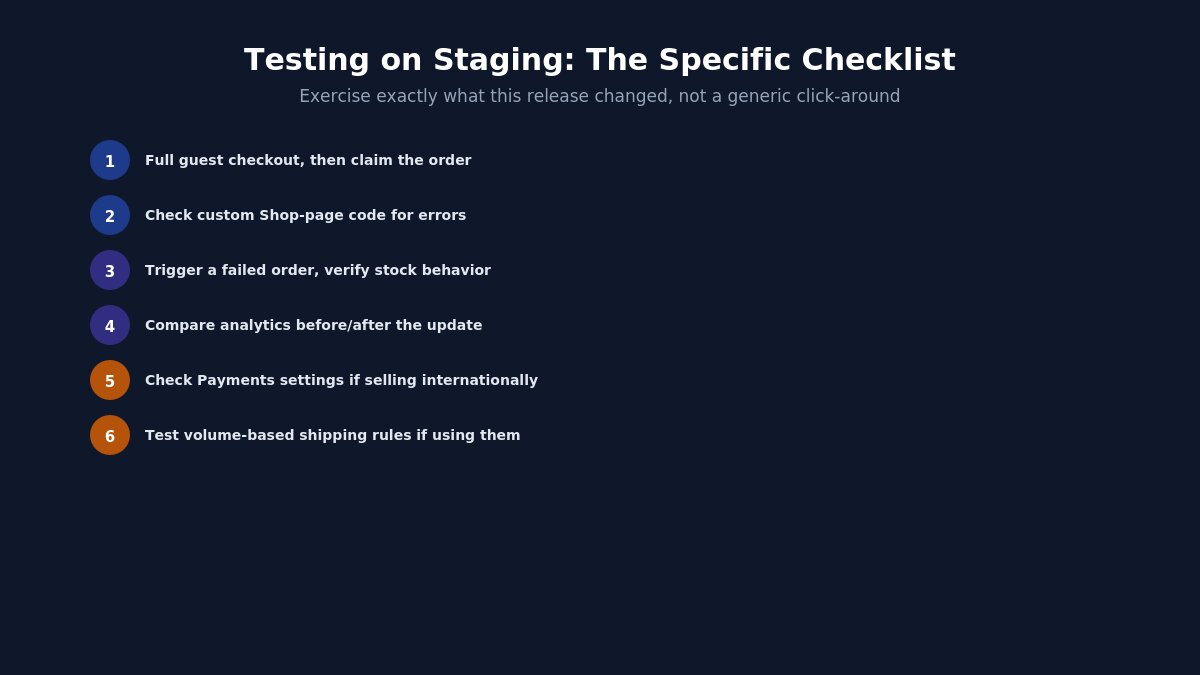
A generic “test on staging” instruction isn’t especially useful without specifics. Given what actually changed in this release, here’s what a staging test pass should specifically verify before you touch production:
Complete a full guest checkout, then create an account with the same email and confirm the order-claiming flow actually surfaces and works as expected on your specific setup.
If you have any custom code touching the Shop page, load it and check for errors or unexpected behavior related to the get_queried_object() change — don’t just check that the page loads, check that any custom logic tied to it still behaves correctly.
Trigger a failed order deliberately (a declined test card is the simplest way) and confirm your inventory behaves as expected under the new stock-restoration logic, especially if you have automation tied to stock levels.
Check your analytics dashboard before and after the staging update to see the session-counting change in action on your own data, so you’re not caught off guard when you see it on production.
If you sell internationally, specifically check your Payments settings for the business-location warning that 11.0.1 addresses, to confirm the fix applies to your setup.
Test your specific shipping configuration if you use or plan to use the new volume-based shipping rules, since this is new functionality rather than a fix and is worth deliberately exercising rather than assuming it works as documented.
None of these tests require advanced technical skill — they’re mostly a matter of deliberately exercising the specific things this release actually changed, rather than a generic “click around and see if it looks fine” pass that wouldn’t necessarily surface any of these particular issues.
Should You Update Now?
Given the required database update, the genuine breaking change for custom code, and the security fix bundled into 11.0.1, the realistic answer is yes, but not carelessly. This isn’t a release to skip or defer indefinitely — the security fix alone argues against waiting too long — but it’s also not a “click update and walk away” release given what’s actually changed underneath the surface.
If your store runs a standard, unmodified WooCommerce setup with a well-maintained theme — including any of our WordPress themes built for WooCommerce — your update risk is meaningfully lower than a site with extensive custom code touching the Shop page or order status logic. Match your level of pre-update caution to your actual level of customization, rather than applying the same blanket process to every site regardless of complexity. A single-product-catalog store with no custom development can reasonably move faster through this checklist than a store with years of accumulated custom code and third-party integrations layered on top of core WooCommerce.
Your Pre-Update Checklist
Back up your full database, not just files. This release requires a database update — confirm your backup solution actually captures this, and verify the backup restores correctly before you need it.
Check WordPress core is at least 6.9 before attempting the WooCommerce update, or the update won’t proceed.
If you have custom code touching the Shop page, review it for get_queried_object() usage specifically before updating, or immediately after if you update first and review second.
Test on staging first, particularly if you have any custom order-status logic or inventory automation that might interact with the stock-restoration change.
Update to 11.0.1 directly rather than stopping at 11.0.0, since 11.0.1 carries a security fix on top of everything in the base release.
After updating, don’t panic if analytics numbers shift — cross-check against an independent traffic source before assuming something’s broken.
If you’re managing this for a client or a store you don’t personally maintain custom code for, our ticket support team can help troubleshoot theme-specific interactions, and our documentation covers compatibility notes for our own WooCommerce-ready themes specifically.
Treat this update the way the two-release pattern itself suggests treating it: seriously enough to prepare for, not so cautiously that a genuine security fix sits unapplied for weeks while you deliberate.
Hello everyone! We’re Galussothemes content team, we love to write new blogs for WordPress Joomla! and other tech niches everyday. We’re talented young people who hold a strong passion for website development, designing, and marketing. Feel free to leave your comment if you have any issues or questions with our blogs.
Interesting with this topic? You also interest with this articles: