Most new nail clients find a studio the same way: they search “nail salon near me”, tap two or three results, and book with the one whose website answers their questions fastest. What does a gel set cost? How long does it take? Is the place clean? Can I book tonight without calling? If your website cannot answer those questions on a phone in a few seconds, the client books somewhere else, even if your work is better.
The good news is that a nail salon website does not need a developer, a big budget or months of work. With WordPress, a theme made for nail studios and a booking form, you can build a site that looks professional and takes appointments in a weekend. This guide walks you through every step, from the domain name to your first online booking, using a real nail studio demo as the example.
What a nail salon website needs to do
Before you pick colours or fonts, be clear about the jobs your website has to do. A nail studio site is not a portfolio or a blog first. It is a booking tool with a shop window around it. Every page should help a visitor make one of three decisions: is this studio for me, can I afford it, and when can I come.
That means a successful nail salon website has a small, predictable set of parts:
- A clear first screen with what you do, where you are and a “Book” button that is visible on a phone without scrolling.
- Services and prices with durations, so clients know a gel manicure is $45 and takes 50 minutes before they message you.
- Nail art pricing that is easy to understand, because “how much for nail art?” is the question nail techs answer most.
- Photos of your own work: a lookbook or gallery that shows the styles you actually do.
- Hygiene information. Clients care about sterilised tools and clean pedicure basins, and saying how you clean builds trust fast.
- An online booking or request form that asks for the service, the art level and the preferred artist, so you can plan the appointment.
- Opening hours, address, map and a tap-to-call button, plus the data Google needs to show you in local results.
Keep this list next to you while you build. If a section does not serve one of these jobs, leave it out.
Step 1: Choose your domain name and hosting
Your domain is the address clients type or tap, such as yourstudio.com. Keep it short, easy to spell and close to the name on your sign. If the exact name is taken, add your area (“bishopartsnails.com”) rather than a hyphen or a random word. Avoid names that only make sense when spoken, because clients will often see the address written on Instagram or a business card.
For hosting, any reputable WordPress host works for a nail studio site. You do not need a big plan: a single small business site with a booking form and a few dozen photos uses very little space. What matters more is that the host offers:
- One-click WordPress installation and automatic updates.
- A free SSL certificate, so your site loads on
https://and the booking form is secure. - Daily backups you can restore yourself.
- Working email sending, so booking notifications reach your inbox.
That last point matters more than it sounds. If booking emails disappear, you lose clients without knowing it. If you ever run into it, our guide on fixing WordPress and WooCommerce emails that are not sent explains how to set up reliable SMTP sending.
Once hosting is ready, install WordPress from your host’s control panel. You will get a login at yourstudio.com/wp-admin. Everything else in this guide happens from there.
Step 2: Pick a WordPress theme made for nail studios
The theme controls how your site looks and which sections you get out of the box. A general-purpose theme gives you an empty layout and leaves the hard part to you: writing a price list, designing a nail art menu, working out what a booking form should ask. A theme built for nail studios starts with all of that already designed.
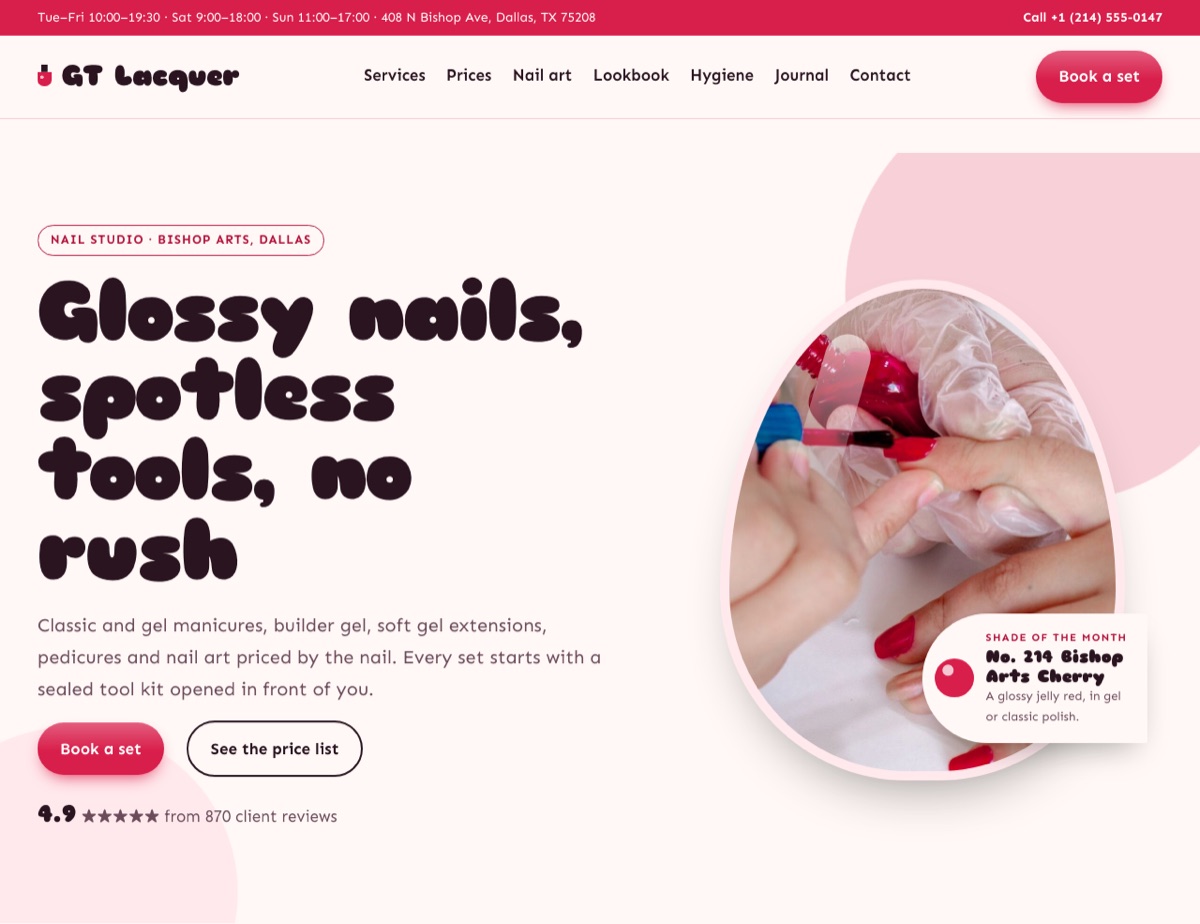
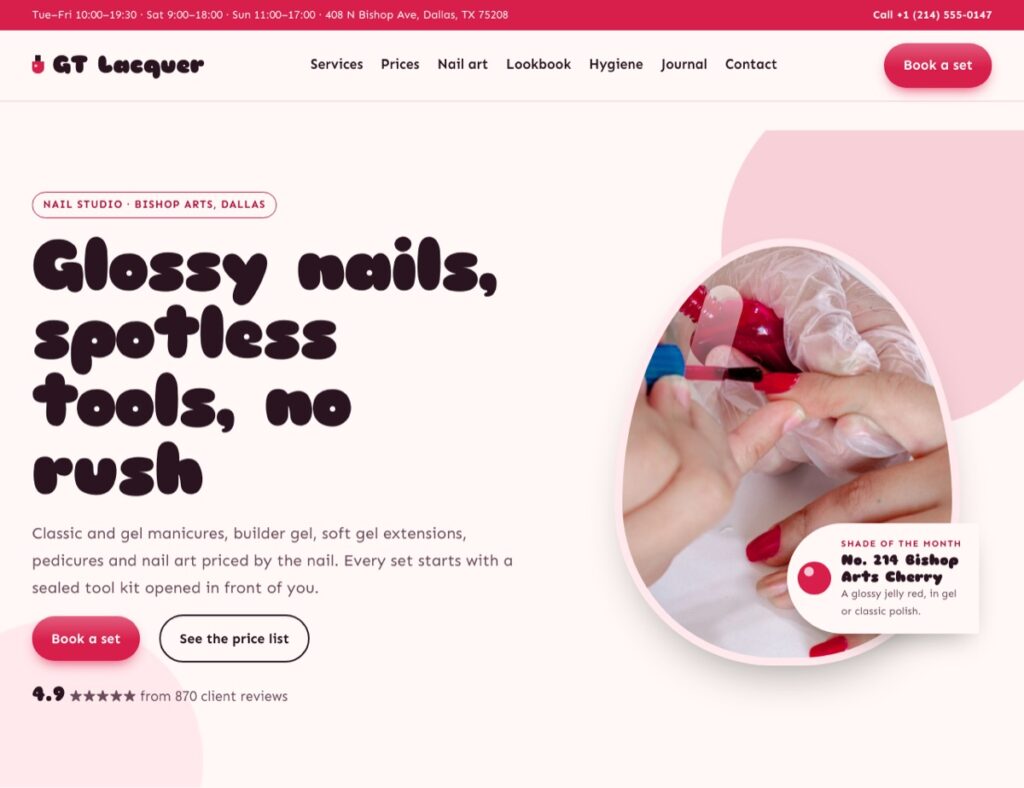
That is why we built GT Lacquer, a WordPress block theme for nail studios, nail bars and manicure artists. It arrives as a complete nail salon website: a glossy home page with an almond-shaped hero photo and a shade of the month, a polish chart, services, a price list with durations, per-nail art levels, a hygiene card, how a visit works, your nail artists, a lookbook, reviews, a membership band and opening hours.
GT Lacquer also comes with the inner pages a nail studio needs: Services, Prices, Book, Lookbook, About, Contact, Nail art and Hygiene, plus a page for each service (classic manicure, gel manicure, builder gel overlay, soft gel extensions, pedicures, and removal and repair). You can click through all of them in the GT Lacquer live demo, which is set up as a fictional studio in Dallas.
If you run a broader beauty business, the Beauty & Wellness themes cover the trades next to nails: GT Brow for lash and brow bars, GT Glow for skincare studios and estheticians, GT Wax for waxing studios, GT Serene for day spas and GT Tress for hair salons. Pick the one that matches the service most of your clients book.
Free or full version?
GT Lacquer has a free edition you can try on your own site. It includes the full theme with every template and page pattern, the default colour style, the business details, the request form and the call bar. The full theme, from $29 for one site, adds all four colour styles (Cherry gloss, Midnight chrome, Mint sorbet and Tangerine pop), one-click demo import and a year of updates and support. If you want your site to look like the demo on day one, the demo import alone saves hours of work.
Install the theme
- Download the theme zip from your GalussoThemes account.
- In WordPress, go to Appearance → Themes → Add New Theme → Upload Theme.
- Choose the zip file, click Install Now, then Activate.
GT Lacquer needs WordPress 6.6 or newer and PHP 7.4 or newer, and no other plugins.
Step 3: Import the demo and add your business details
Starting from a blank theme means building every page yourself. Starting from the demo means you only replace words and photos. With the full GT Lacquer theme, go to Appearance → Import demo. The import adds the pages, menus, business details and photos from the demo studio. If you run it again later, it updates those pages instead of making copies, so you can safely re-import while you experiment.
Next, tell the theme about your studio. Open Appearance → Customize → Business details and fill in your studio name, phone, email, address and opening hours. These details are used everywhere at once: the top bar, the opening hours box, the contact page, the tap-to-call bar on phones and the LocalBusiness data that helps Google understand where you are and when you are open. You type them once, and every page stays consistent.
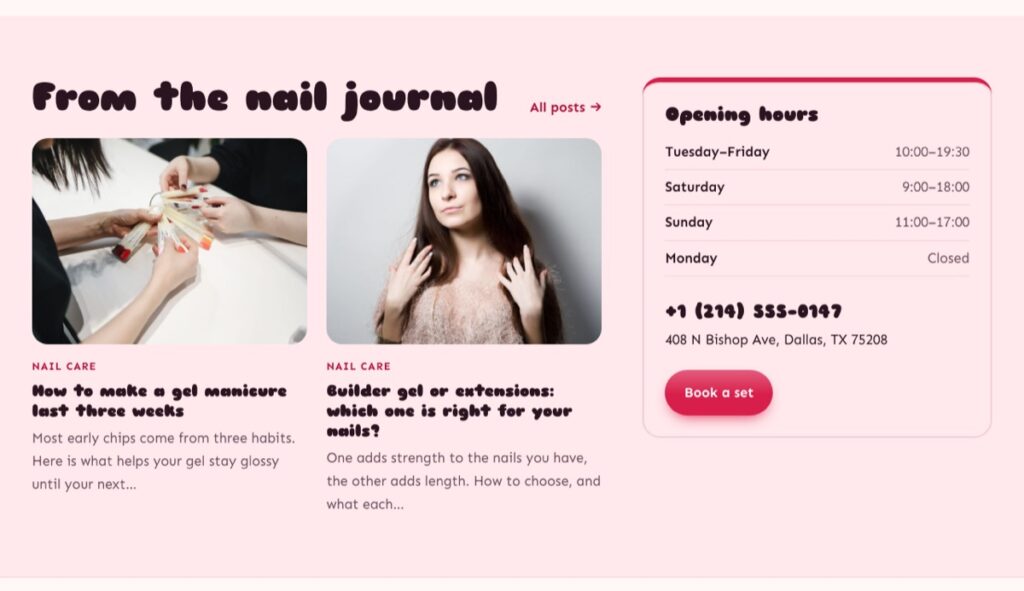
Take a moment to check the hours carefully. Clients who arrive at a closed door because your website said “open” rarely come back. If your hours change for holidays, update them here first.
Step 4: Write your services and price list
Your price list is the page clients look at most, so make it the clearest page on your site. For each service, give three things: the name clients know it by, the price (or “from” price) and how long it takes. Add one short line explaining what is included. “Gel manicure, $45, 50 minutes: gel colour that lasts two to three weeks” answers the client’s three questions in one row.
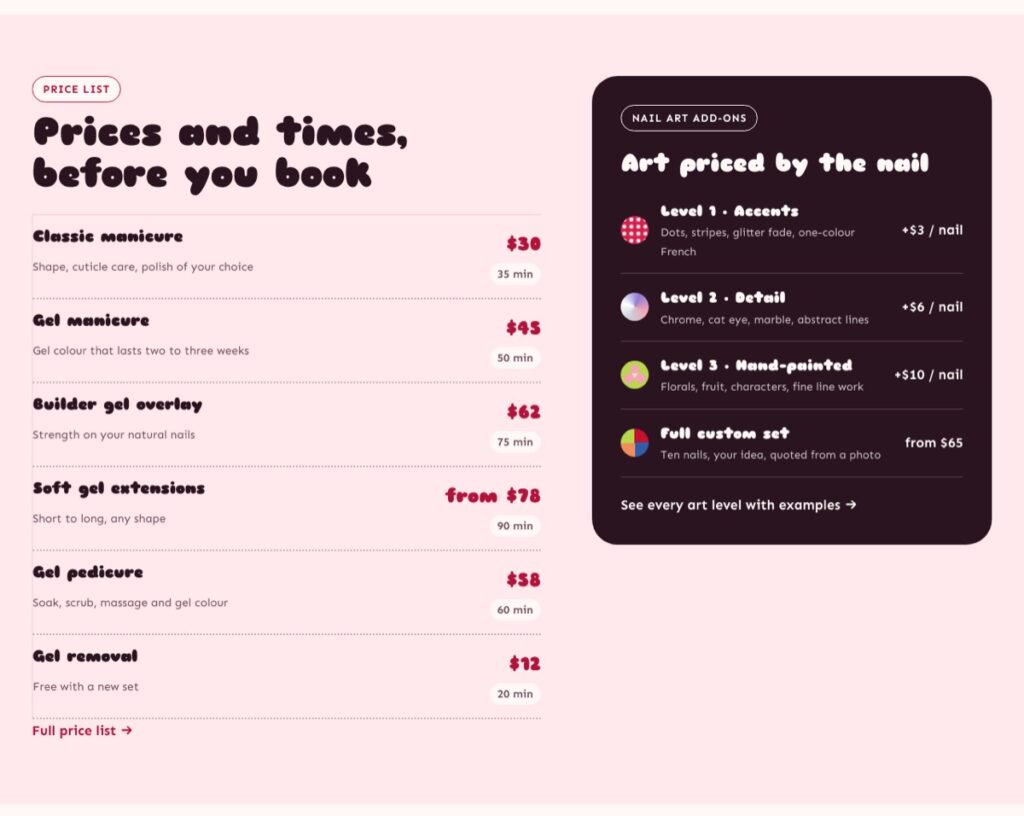
Nail art needs its own structure, because “how much is nail art?” has no single answer. GT Lacquer handles this with art levels priced per nail, which you can adapt to your studio:
| Art level | What it covers | Demo price |
|---|---|---|
| Level 1 · Accents | Dots, stripes, glitter fade, one-colour French | +$3 per nail |
| Level 2 · Detail | Chrome, cat eye, marble, abstract lines | +$6 per nail |
| Level 3 · Hand-painted | Florals, fruit, characters, fine line work | +$10 per nail |
| Full custom set | Ten nails, your idea, quoted from a photo | from $65 |
Clients can now estimate the cost of a set before they book, and your booking form can ask for the art level in the same words. To edit the list, open the page in the editor. Everything in GT Lacquer is built with core WordPress blocks, so you click into the text and type; there is no page builder to learn.
Each service also has its own page (for example “Builder gel overlay”), where you can explain who it suits, how long it lasts and how to look after it. These pages answer questions before clients ask them, and they also help you appear in searches like “builder gel near me”.
Step 5: Show your hygiene standards and how a visit works
Cleanliness is one of the main reasons people choose one nail studio over another, and one of the main reasons they leave a bad review. Do not hide it in your FAQ. Give it a section of its own, written plainly: how metal tools are cleaned, which items are single-use, how pedicure basins are disinfected, and what clients can ask to see.
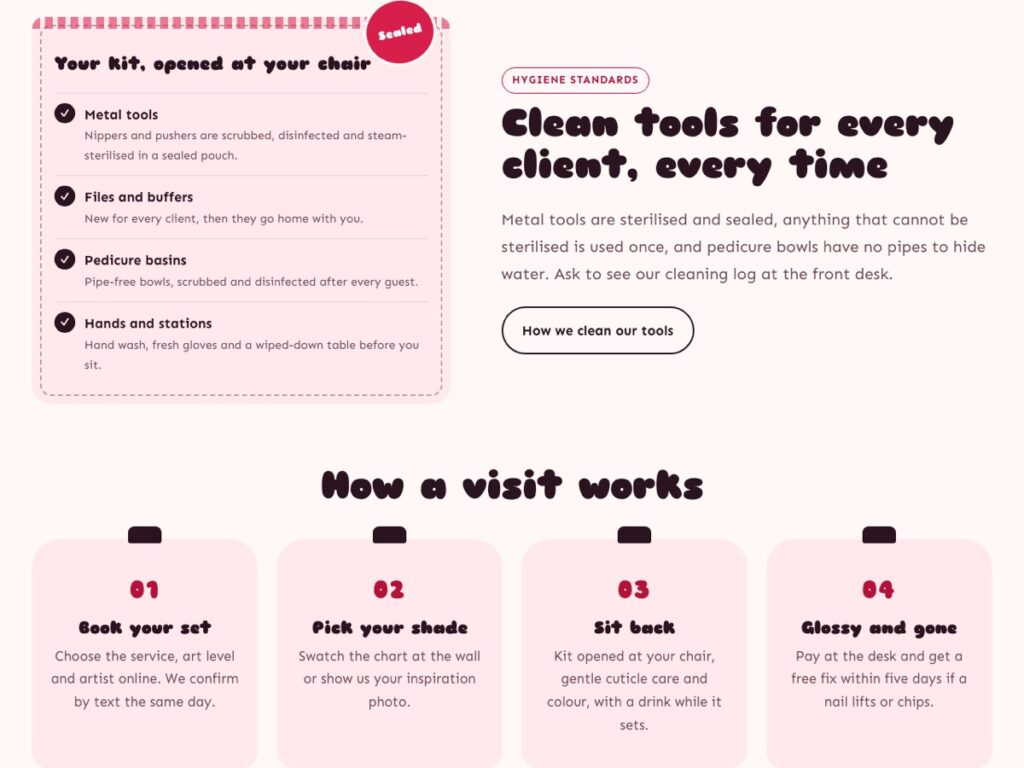
GT Lacquer shows this as a sealed tool-kit card on the home page, with a full Hygiene page behind it. Right next to it, a “How a visit works” section walks first-time clients through the appointment: book your set, pick your shade, sit back, and leave glossy. Nervous first-timers love knowing what will happen, and it cuts down on the same questions at the front desk.
Write this section in your own words. If you offer a free fix within a few days when a nail lifts, say so here. Promises like that are a strong reason to book with you.
Step 6: Add online booking
A booking button that opens a phone number is better than nothing, but many clients look for a studio at night, when you are closed. An online booking form lets them send a request at 11 pm, and you confirm it in the morning.
Option 1: The appointment form built into GT Lacquer
GT Lacquer includes a nail appointment form on its Book page. It asks for what you need to plan the job: the client’s name, phone and email, the service, the nail art level, the preferred artist, and the preferred day and time. Every request is emailed to you and saved in your dashboard under Requests, so nothing gets lost in an inbox.
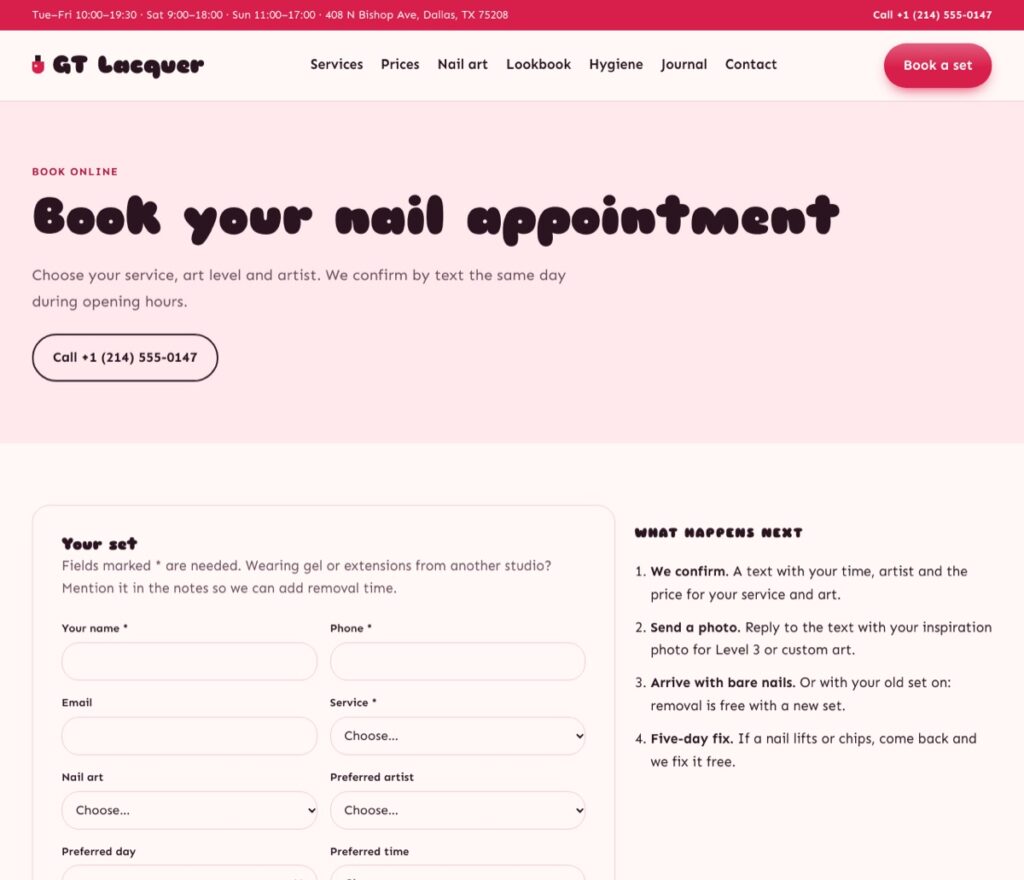
Next to the form, the demo explains what happens next: you confirm by text, the client replies with an inspiration photo for detailed art, and they arrive with bare nails (or their old set, which you remove). Tell clients exactly how and when you will reply; it stops them from booking a second studio “just in case”.
Option 2: GT Salon Booking for studios with several artists
If you have a team, set start times or a daily limit, the GT Salon Booking plugin gives you a full appointment system. It works with any theme, so it fits GT Lacquer and the other beauty themes. The free plugin is complete on its own:
- Services with duration, buffer time and price, shown in the form as, for example, “Gel manicure · 50 min · $45”.
- Your team in the settings, one artist per line, with “No preference” shown first.
- Start times, a daily limit, closed days and the earliest and latest date clients can choose.
- An appointments screen with statuses: Requested, Confirmed, Rescheduled, Completed, No-show and Cancelled.
- Emails to you and to the client, and an update when an appointment is confirmed, rescheduled or cancelled.
- Spam protection without a captcha.
GT Salon Booking was built for hair salons and barbers as well as nail and beauty studios, so its form also includes a few optional hair questions, such as hair length and a colour patch test. Nail clients simply skip them. If you want a form that only asks nail questions, the built-in GT Lacquer form in option 1 does exactly that.
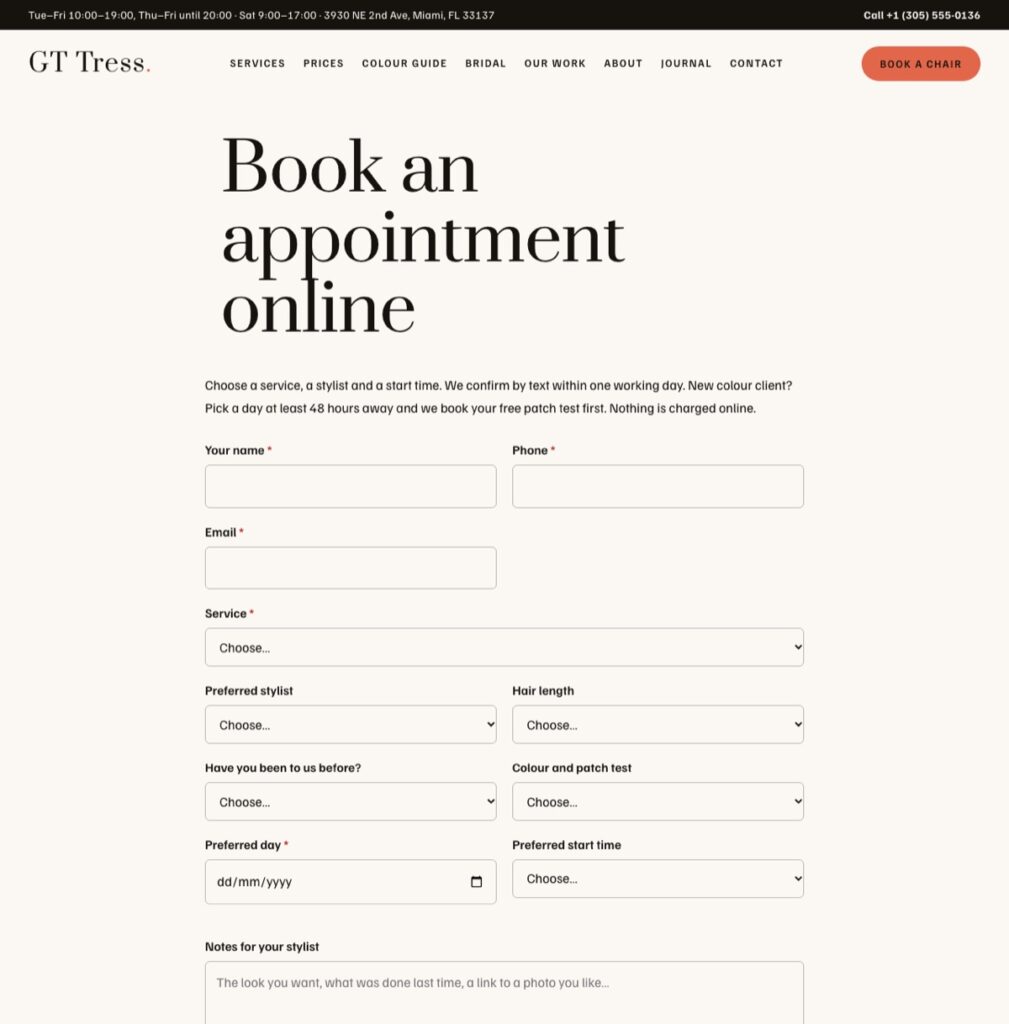
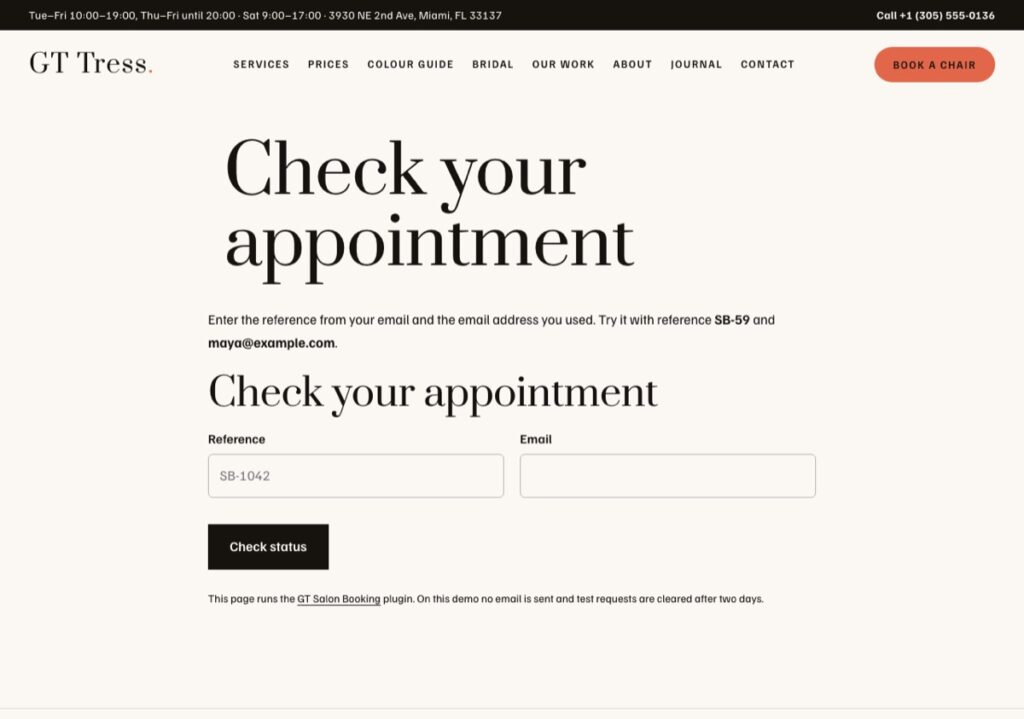
Add the booking form with the Salon booking block or the [gtsb_form] shortcode on your Book page. Clients can check their appointment later with their reference number, using the status block or the [gtsb_status] shortcode on a separate page. You can try both on the GT Salon Booking live demo.
GT Salon Booking Pro, from $29 for one site, adds a stylist and chair schedule (in a nail studio, your artists and stations) with the week at a glance, moving appointments to another day, up to two private inspiration photos per booking (very handy for custom nail art), a reminder email the day before each appointment, editable client emails and a CSV export. Reminder emails alone usually pay for it, because every no-show you avoid is a paid slot you keep.
Step 7: Build your lookbook with your own photos
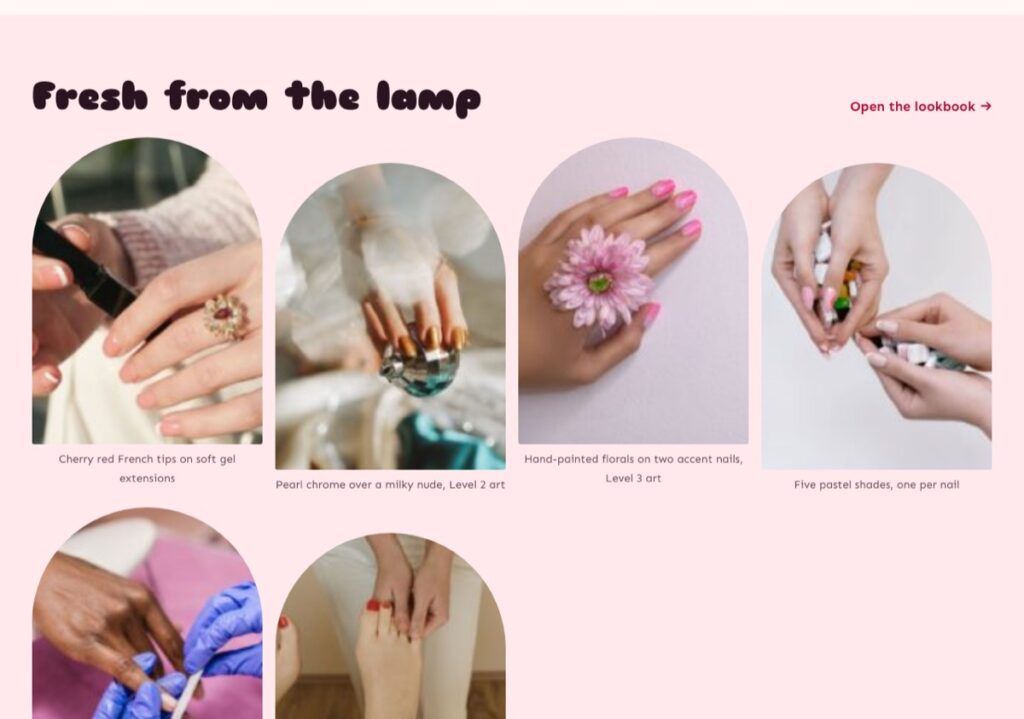
Nail clients book with their eyes. A lookbook of your own recent sets does more selling than any paragraph you write. Replace every demo photo with your own work before you launch: real photos of real sets, even taken on a phone, beat stock photos every time.
A few tips for photos that sell:
- Shoot in daylight near a window, on a plain background. Avoid the yellow light of ceiling lamps.
- Keep the hand still and fill the frame with the nails. Crop out clutter.
- Write a short caption with the service and art level (“Pearl chrome over a milky nude, Level 2 art”), so clients can point to it when they book.
- Resize photos to around 1600 pixels wide before uploading, so pages stay fast.
Add photos with the Gallery block in the editor. If you want clients to tap a photo and see it full size, our tutorial on adding a lightbox to the Gutenberg Gallery block shows how.
Step 8: Make the site yours: colours, fonts and logo
GT Lacquer comes with four colour styles, each checked for readable contrast. Switch between them in Appearance → Editor → Styles, then fine-tune colours and fonts in the same place if you want to match your sign or your polish brand. Upload your logo in the Site Editor’s header, and update the footer with your social links.
Resist the urge to change everything. The layout is built around what nail clients look for, in the order they look for it. Changing words, photos and colours makes the site yours; rearranging every section usually makes it harder to use.
Step 9: Check mobile, speed and local search before you launch
Most of your visitors will come from a phone, often from Google Maps or Instagram. Open your site on your own phone and go through it as a client would: find the price of a gel set, open the lookbook, send a test booking, and tap the phone number. GT Lacquer shows a tap-to-call bar on phones, so calling you is always one tap away.
Then check three things:
- Speed. Large photos are the most common reason a beauty site feels slow. Compress them and avoid installing plugins you do not need. If pages jump around while loading, our guide to fixing Cumulative Layout Shift in WordPress explains why and how to fix it.
- Mobile layout. Our checklist on how to optimise your WordPress site for mobile covers the common problems.
- Local search. Create or claim your Google Business Profile and use exactly the same name, address, phone and hours as on your website. Link your website from the profile, add your booking page as the appointment link, and ask happy clients for reviews.
Finally, send yourself a real booking request and confirm it reaches your inbox (and your spam folder is empty). Then you are ready to share the link.
Common mistakes to avoid
- Hiding prices. “Contact us for prices” sends clients to a studio that shows them. Give at least “from” prices.
- Stock photos in the lookbook. Clients can tell, and it makes them wonder what your real work looks like.
- A booking form that asks too little. Without the service and art level, you cannot plan the time slot, and you will spend the evening messaging back and forth.
- Different hours in different places. Keep your website, Google profile and Instagram in sync.
- No reply promise. Say when you confirm bookings (“by text the same day during opening hours”) so clients do not book elsewhere while they wait.
How much does a nail salon website cost?
With WordPress, your main costs are a domain (usually around the price of a few manicures a year), hosting and your theme. GT Lacquer starts free; the full theme is from $29 for one site. GT Salon Booking is free, with the Pro add-on from $29. If you want both, the theme and plugin bundle on our pricing page costs less than buying them separately. Every licence is covered by a 14-day refund if we cannot solve a problem.
If you would rather not set it up yourself, our install service puts the theme, the plugin and the demo on your hosting for you, so you only add your own words and photos.
Your next step
A good nail salon website answers four questions fast: what you do, what it costs, how clean it is and when the client can come. Start with the GT Lacquer demo to see a complete nail studio site, then download GT Lacquer and add GT Salon Booking if you want a full appointment system. Set aside one weekend: import the demo on Saturday, replace the photos and prices on Sunday, and take your first online booking on Monday.